VisitAustralia app iconVisitAustralia

iPhone app · Free

Australia,
in your pocket.

Live weather by city, food and market guides, day-by-day trips you plan with friends, ticket comparison and a wallet for your bookings. Everything a first-time visitor needs, designed to be used on the road.

App Store · coming soonJoin the TestFlight beta

Requires iOS 17 or later. Built by Infonex Pty Ltd.

Explore screen with live Australian weather and must-see places

Built for the first two weeks in Australia

Not a brochure. A tool you open on the ferry, at the market and at the national-park gate.

☀️

Weather by city

Rain chance, highs, lows and UV for 13 cities from Darwin to Hobart, on the home screen.

🥧

Pies, parmas & flat whites

Ten must-try dishes and eight markets and food halls with the exact places to eat at.

🗓️

Plan trips with friends

Day-by-day trips, shared with a six-letter code, editable by everyone on the trip.

🎟️

Tickets & wallet

Compare Klook, KKday, GetYourGuide and official prices, then keep tickets and QR codes offline.

🗺️

Map & directions

Every place on one map, with driving directions in Apple Maps or Google Maps.

✅

Everything practical

Visa and biosecurity checklist, dollar converter, Opal and Myki, surf and sun rules, Aussie slang and 000.

💬

Traveller tips

Check in, rate places and leave tips and photos for the next person.

📴

Works offline

Photos, guides and your tickets are stored on the phone. No data? No problem.

Every screen, explained

What each part of the app does and why it is there.

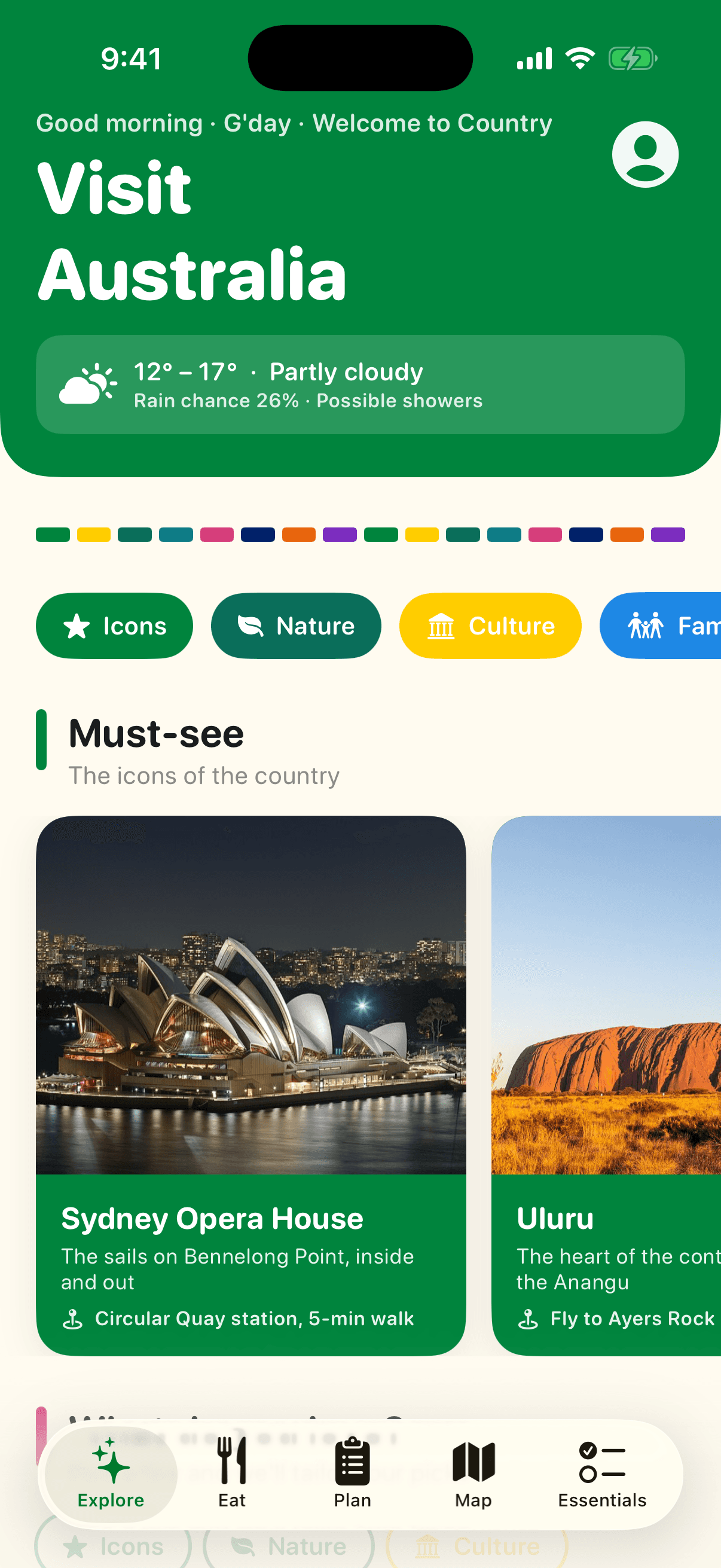
Explore screen of the VisitAustralia app
Home

Explore

The first screen tells you what today looks like before you set off.

  • Sydney's forecast, today's rain chance and the UV index from Open-Meteo, refreshed on every launch.
  • A rain alert card appears when showers are likely in the cities you are heading to, with a one-tap indoor plan.
  • Must-see icons, nine regional guides and a 'For you' row that adapts to the interests you pick.
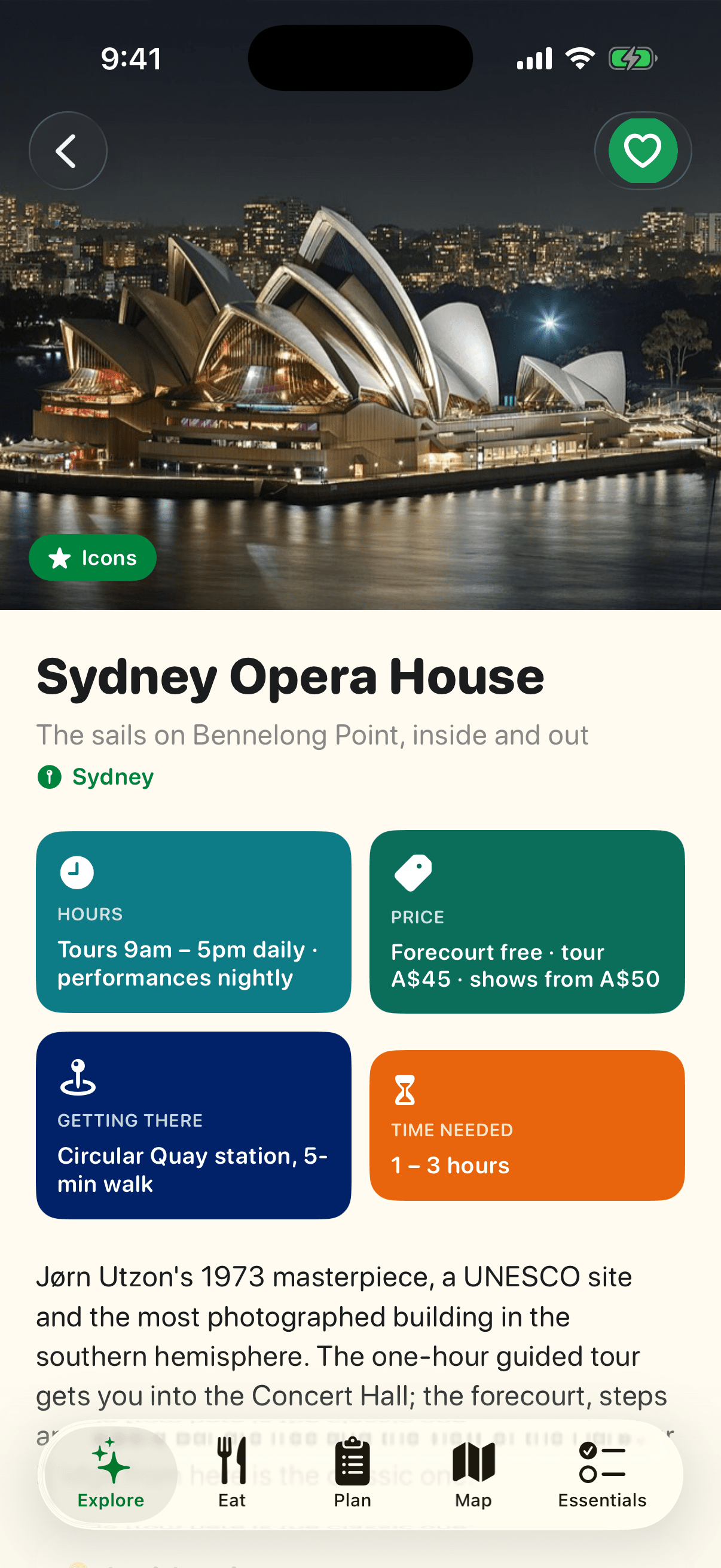
Place pages screen of the VisitAustralia app
Attractions

Place pages

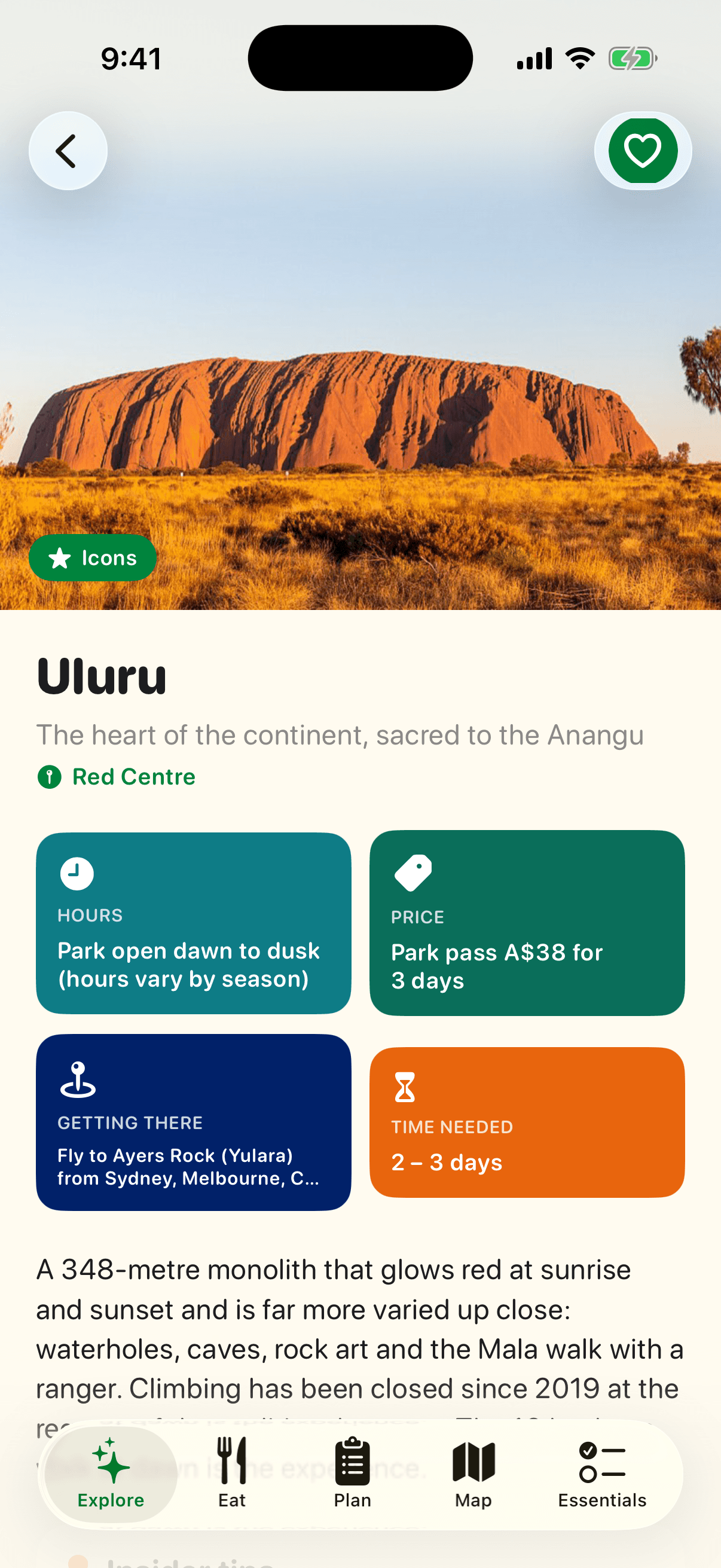
Every place answers the questions visitors ask: when, how much, how to get there, how long.

  • Hours, prices in Australian dollars, how to reach it by public transport or car, and how long to allow, as colour tiles.
  • Insider tips written for first-timers: the free walkway, the cheap ferry, the time to book.
  • Save with a heart, add to a trip, check in, read tips from other travellers, and get directions in Apple Maps or Google Maps.
Tickets & deals screen of the VisitAustralia app
Bookings

Tickets & deals

Compare ticket prices without leaving the page, and keep what you buy in your wallet.

  • Official link first, then Klook, KKday, GetYourGuide and Trip.com for tours, reef trips and bundles.
  • Current promotions from operators and partners show on the place they belong to.
  • Already have a ticket? Add it to the wallet so the QR code is ready at the gate.
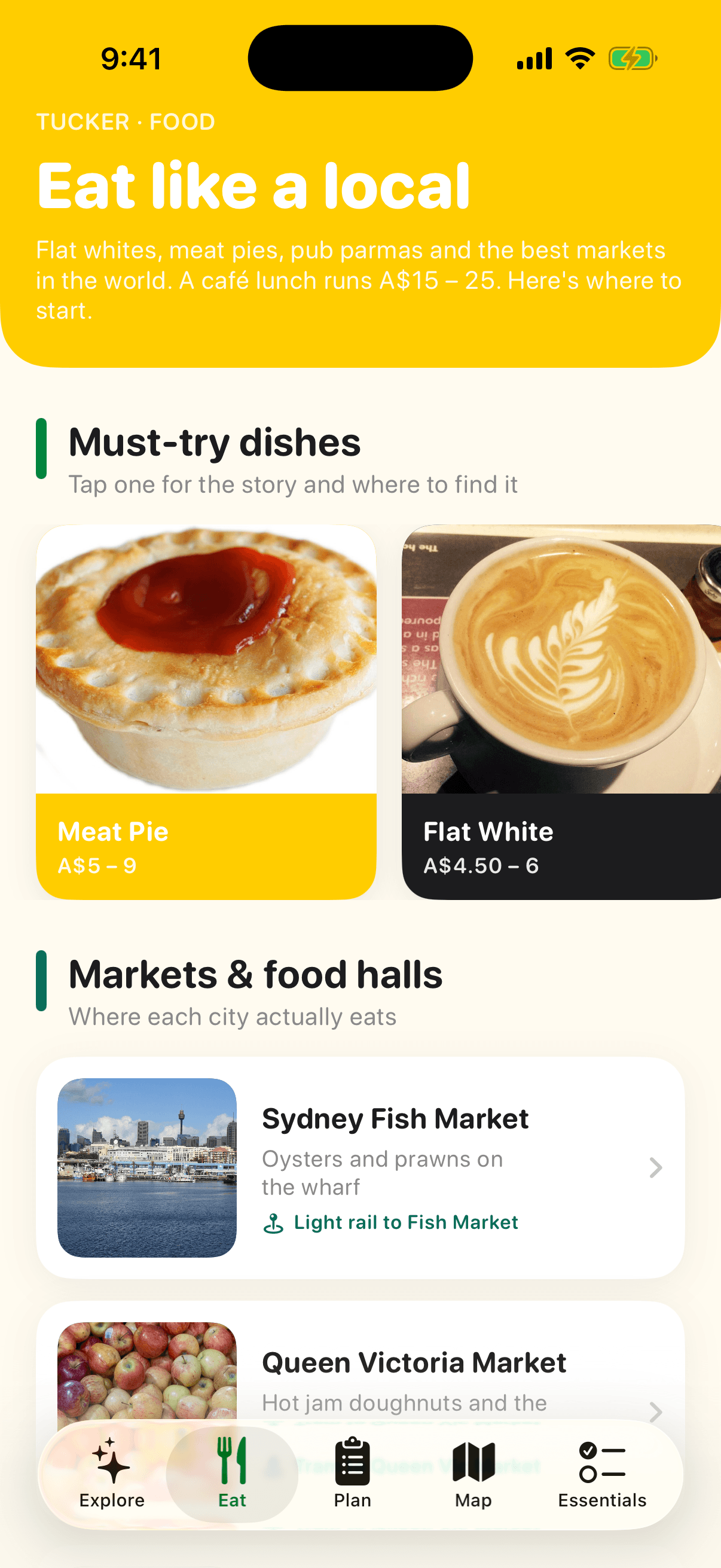
Eat like a local screen of the VisitAustralia app
Food

Eat like a local

Flat whites, meat pies, pub parmas and the best markets in the world. This tab gets you to the right place.

  • Ten must-try dishes with their story, realistic prices and where to try them.
  • Eight markets and food halls, from the Sydney Fish Market to Mindil Beach, with the exact stalls to eat at.
  • Restaurants worth booking, and the four things that make eating here easy.
Market guide screen of the VisitAustralia app
Food

Market guide

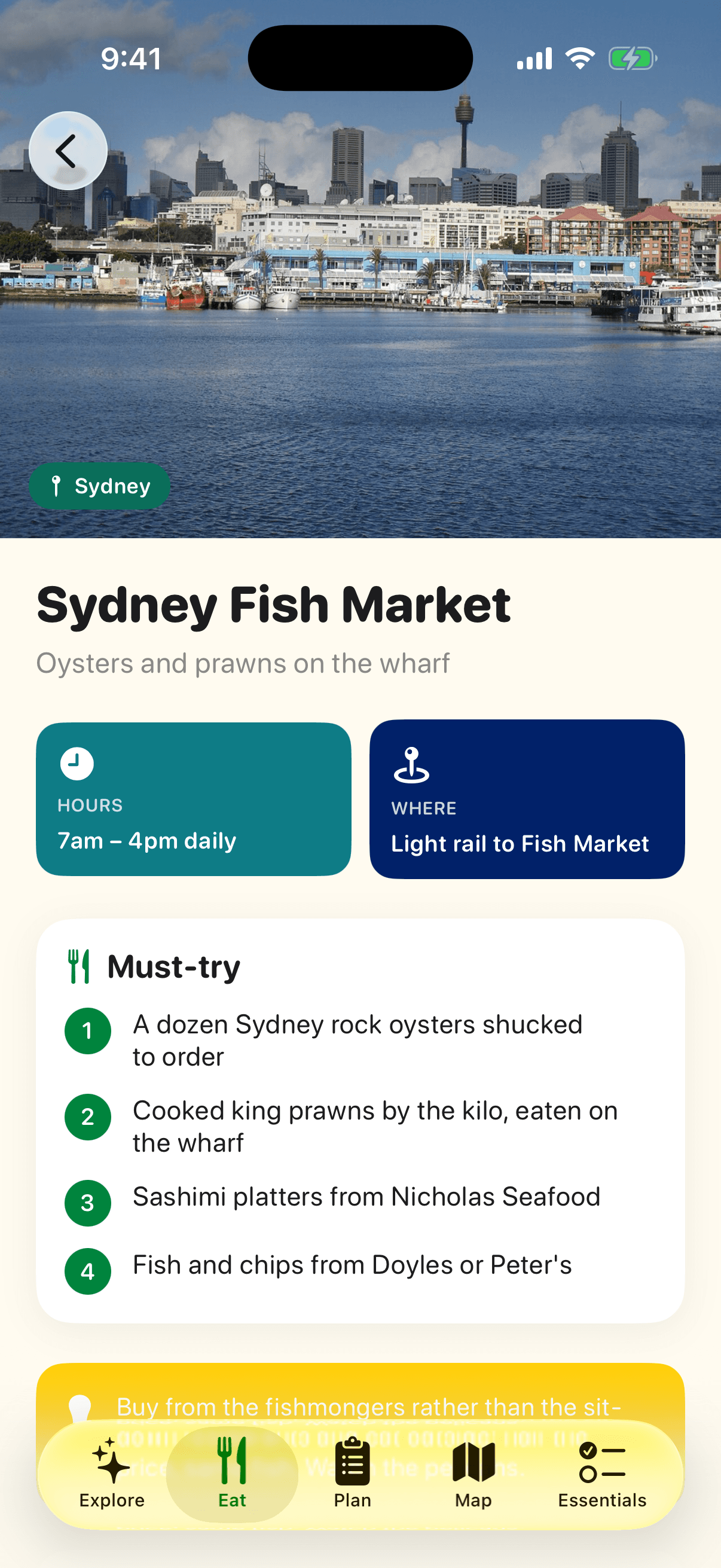
Each market page is built around what to order, not the building.

  • Must-try items in order, with the stall or restaurant to get them from.
  • Opening days, where it is, a map and a local tip.
  • Traveller tips and photos from people who ate there last week.
Dish stories screen of the VisitAustralia app
Food

Dish stories

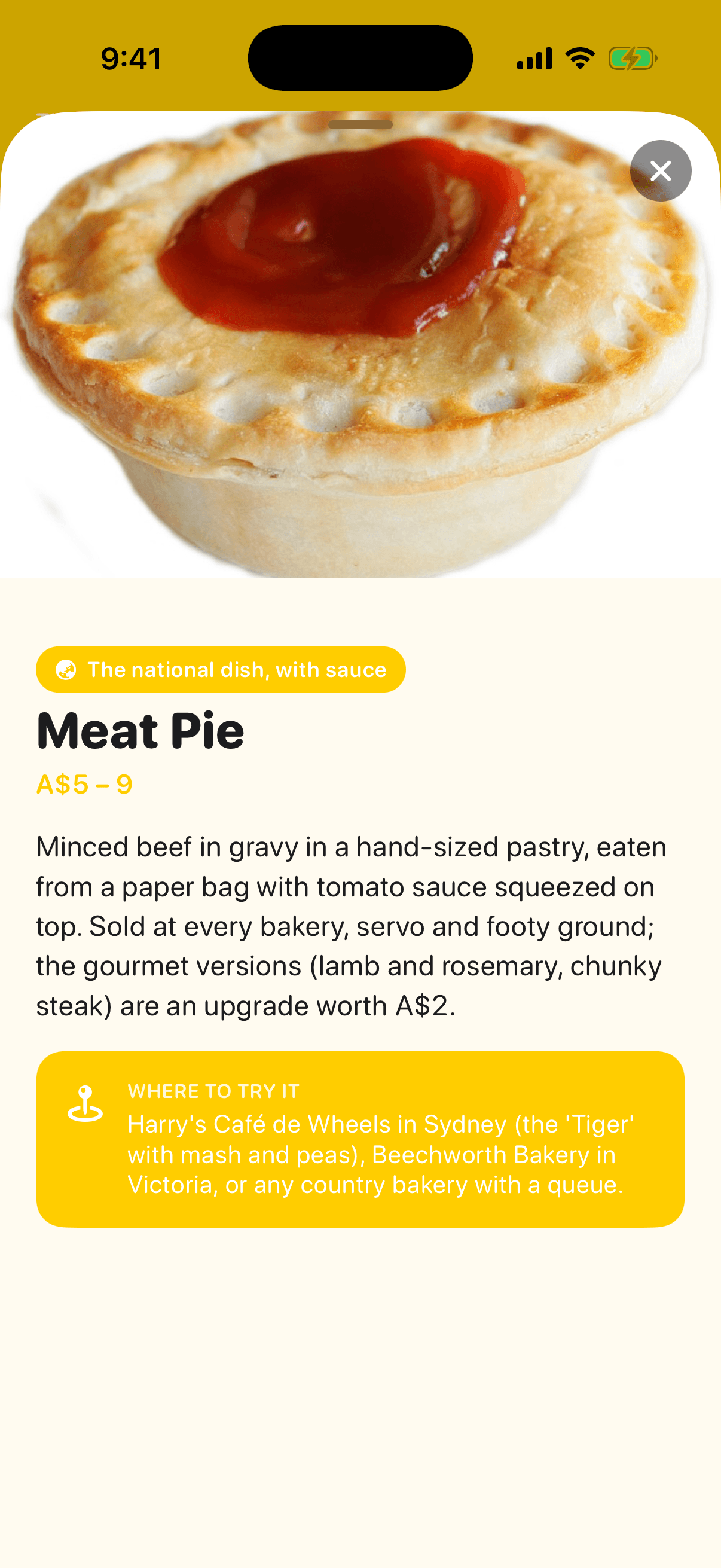
Tap any dish for a short story, what it costs, and where to try it.

  • Origin and what makes the Australian version special.
  • Realistic prices so you know when you are being overcharged.
  • A specific recommendation, not a list of twenty.
Plan screen of the VisitAustralia app
Trips

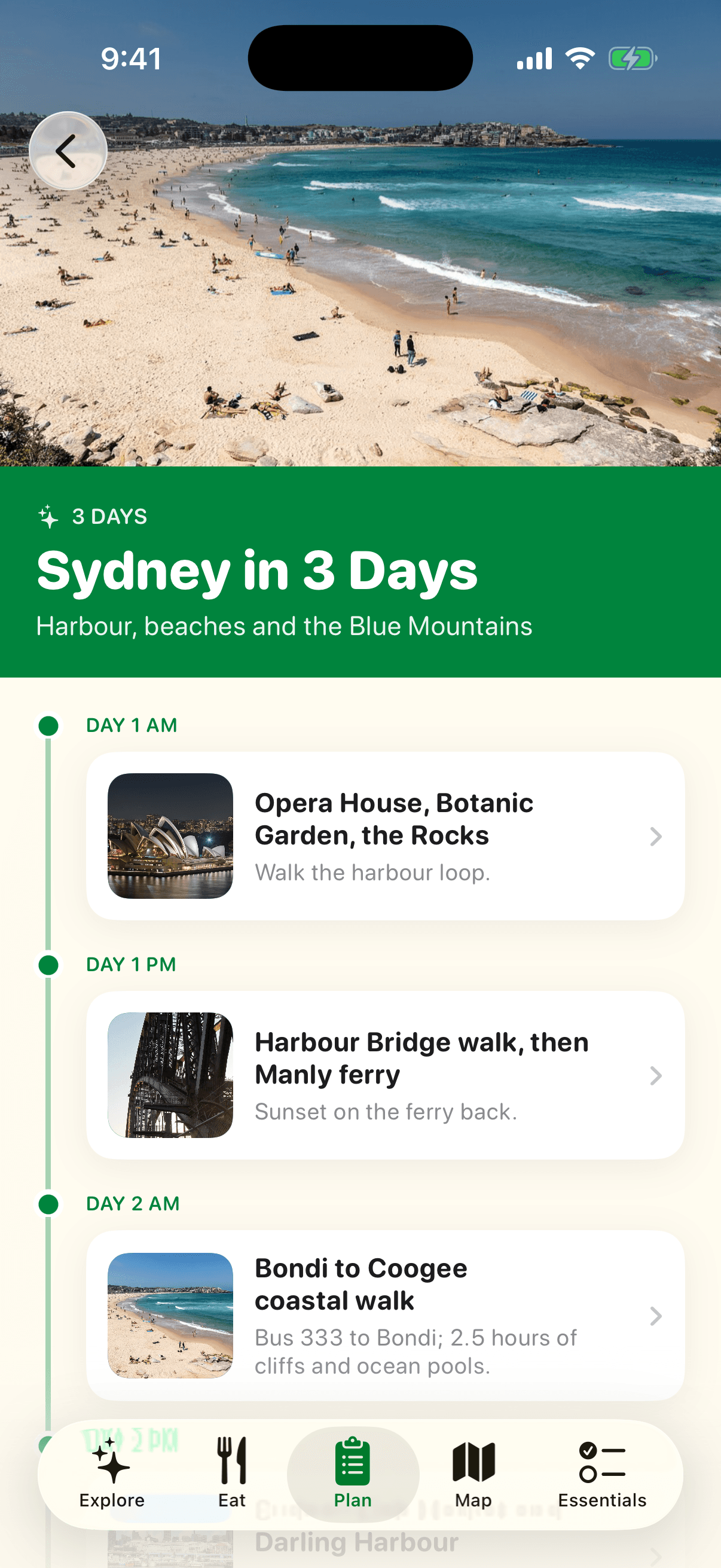
Plan

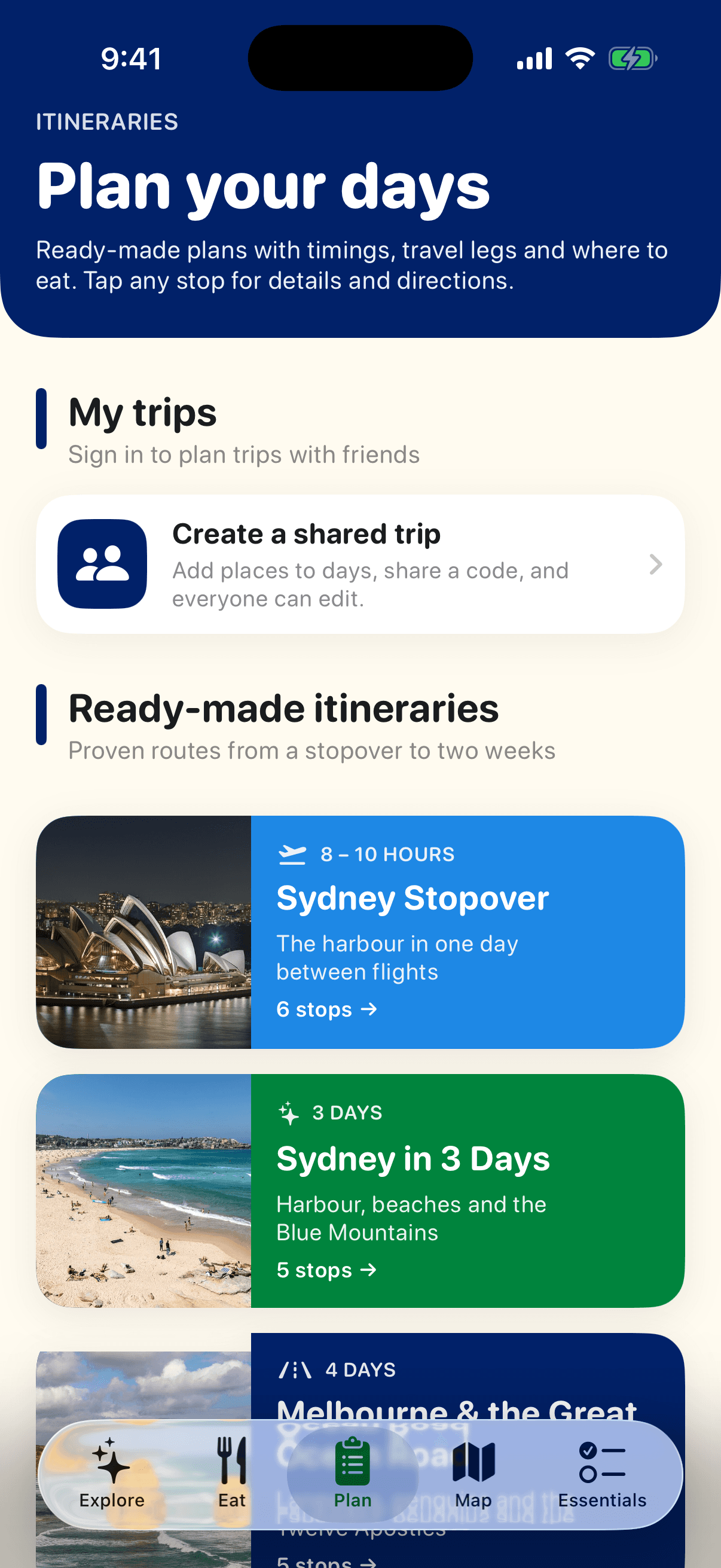
Build your own route with friends, or start from a ready-made plan.

  • Create a trip with dates and get a day-by-day board. Add any place or market to a day from its page.
  • Share a six-letter code and your travel companions edit the same trip from their phones.
  • Hotel search prefilled with your dates, and seven proven itineraries from a Sydney stopover to two weeks up the east coast.
Ready-made itineraries screen of the VisitAustralia app
Trips

Ready-made itineraries

Timed, realistic plans with the flights and drives written in.

  • Each stop has a time, a note on what to do there, and a link to the full place page.
  • Meals are built in, at markets and food halls along the route.
  • Plans for a stopover, Sydney, Melbourne and the Great Ocean Road, the reef, the Red Centre, a rainy day and the east coast.
Map screen of the VisitAustralia app
Navigation

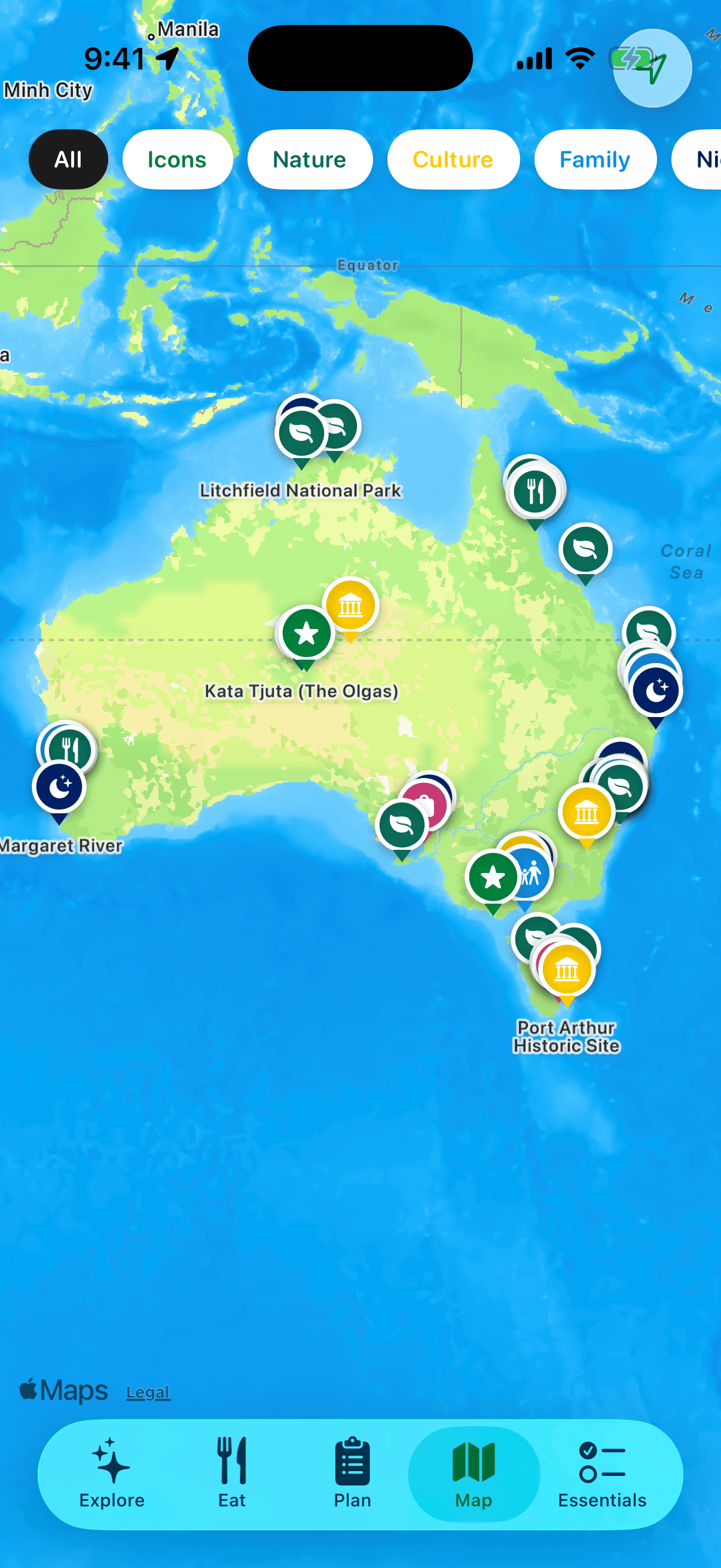
Map

Every place and market on one map of the country, filtered by what you feel like doing.

  • Colour-coded pins by category: icons, nature, culture, family, nightlife, shopping and food.
  • Tap a pin for a card with the photo, how to get there, details and directions.
  • Your location is only requested when you open this tab, never at launch.
Essentials screen of the VisitAustralia app
Practical

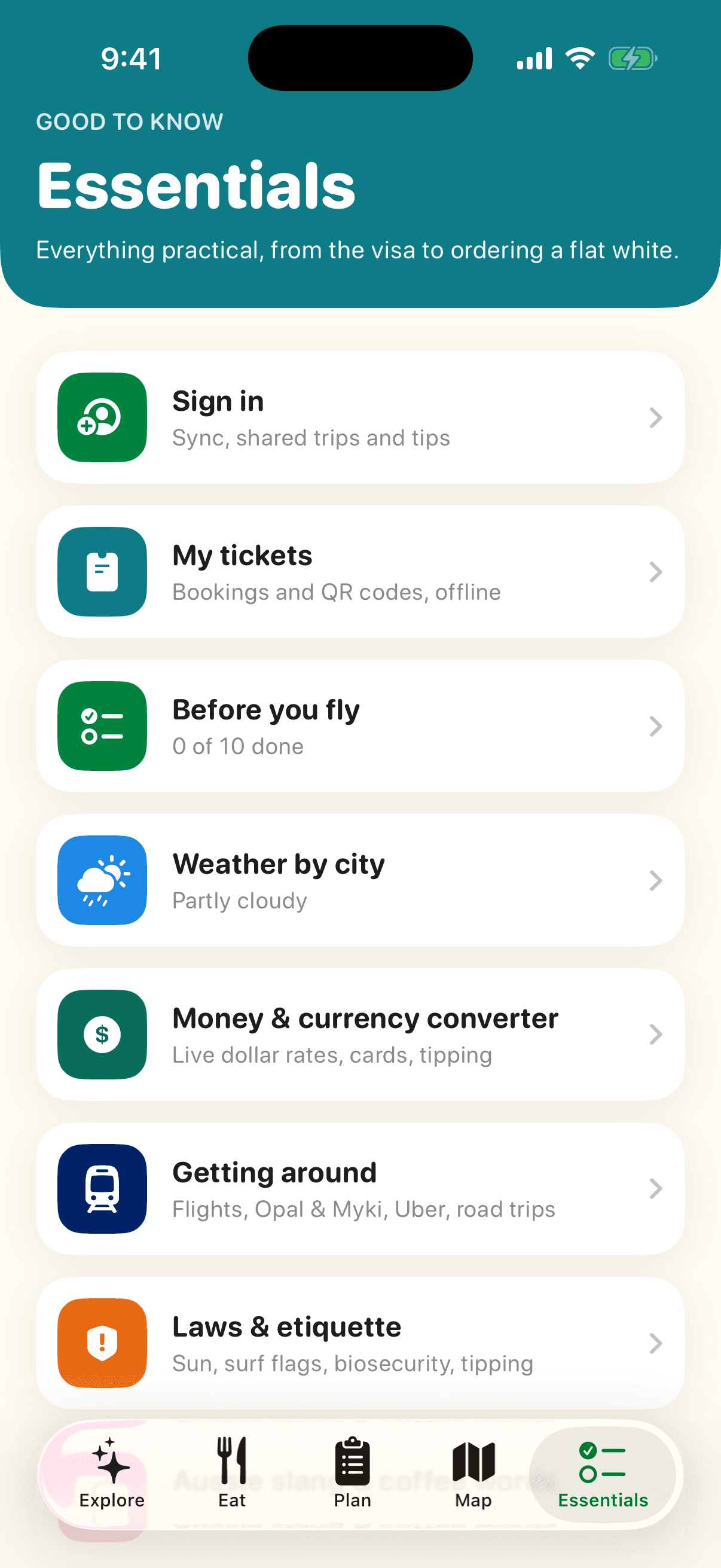
Essentials

Everything practical in one place, from the visa to ordering a flat white.

  • Your profile, ticket wallet, pre-flight checklist, live weather, money, transport, laws, slang and emergency numbers.
  • Designed to be used on the road, with big tap targets and colour-coded sections.
Before you fly screen of the VisitAustralia app
Checklist

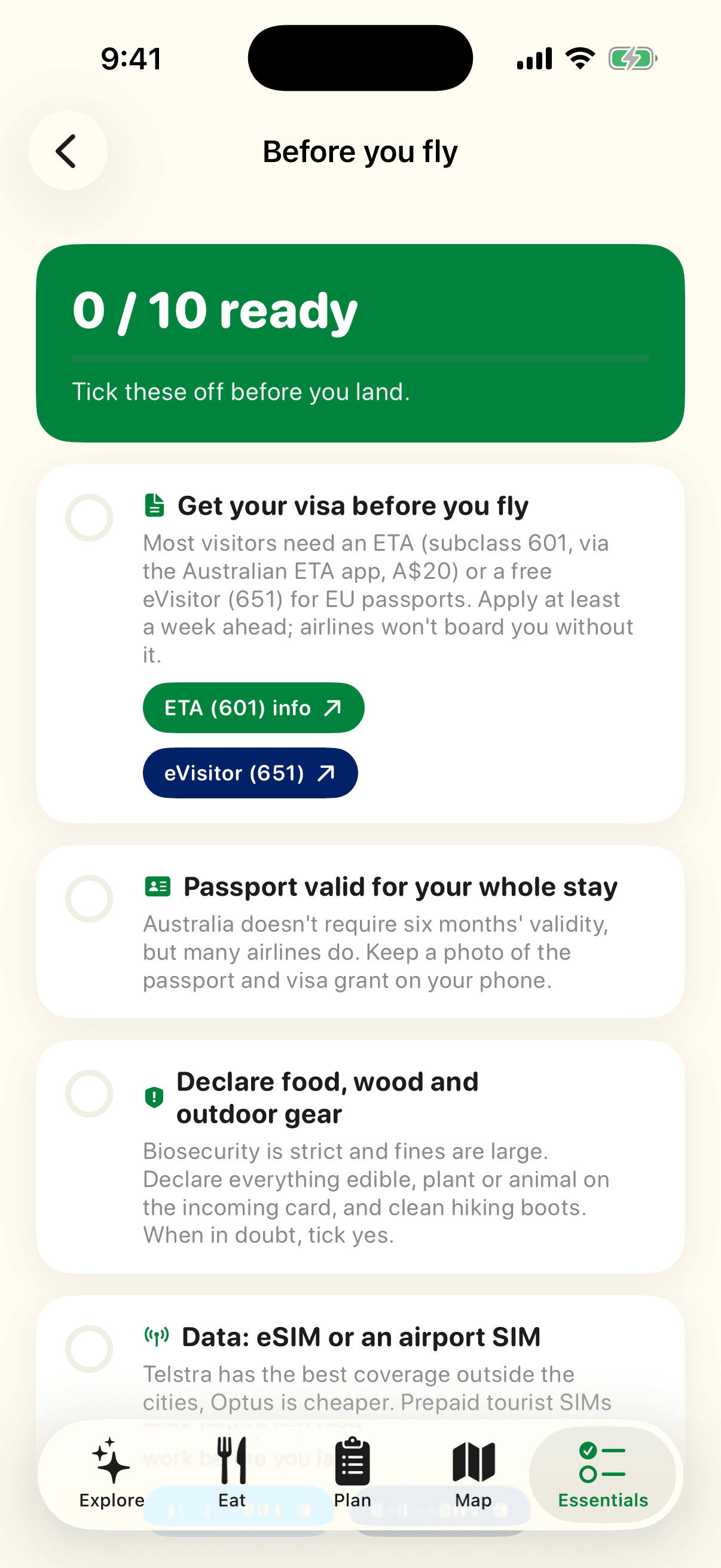
Before you fly

Ten things to sort before landing, each with the link to do it.

  • ETA or eVisitor visa, passport, biosecurity declaration, SIM or eSIM, tap card, Uber, plug adaptor, sun protection, seasons, insurance.
  • Apply for the visa, buy an eSIM from Airalo or Saily, or install Uber right from the item.
  • Progress is saved and syncs across your devices when signed in.
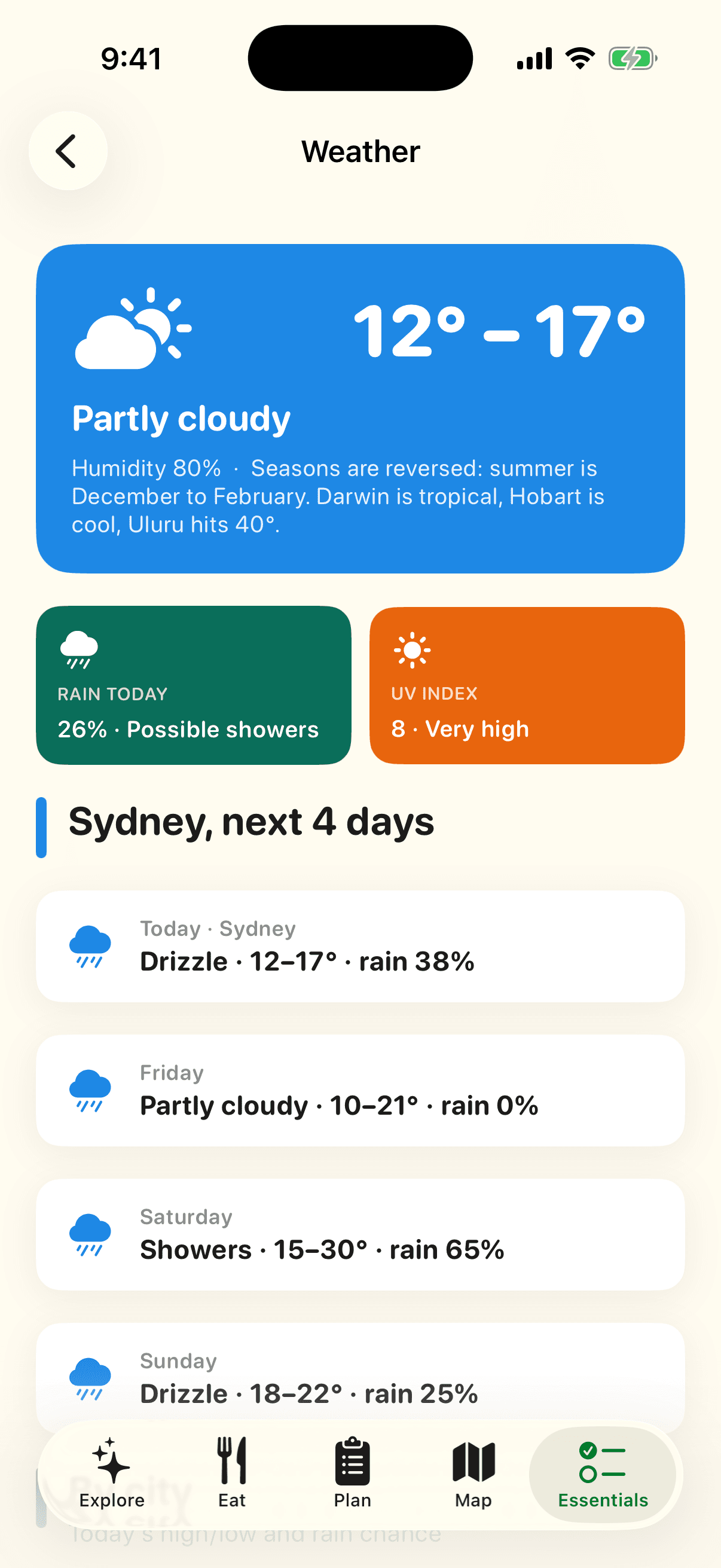
Weather by city screen of the VisitAustralia app
Live data

Weather by city

Darwin is tropical, Hobart is cool and Uluru hits 40°. Knowing which city is wet changes your week.

  • Today's high, low and rain chance for 13 cities from Darwin to Hobart, colour-coded.
  • A four-day Sydney outlook and the UV index with plain-language ratings.
  • Source: Open-Meteo.
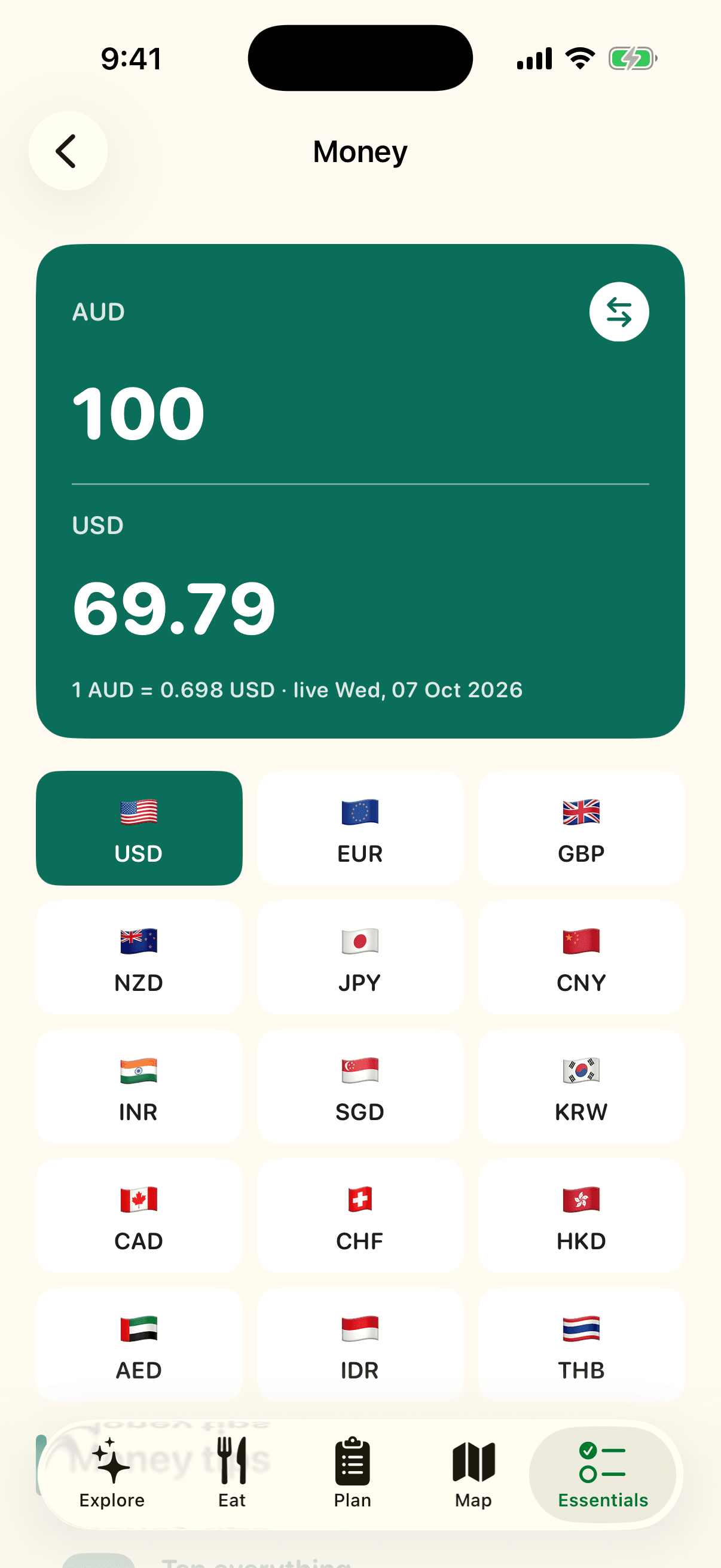
Money screen of the VisitAustralia app
Practical

Money

A dollar converter with live rates, and the money tips that matter here.

  • Fifteen currencies, flip direction with one tap, rates refreshed daily.
  • Card surcharges, the Tourist Refund Scheme, and why tipping isn't expected.
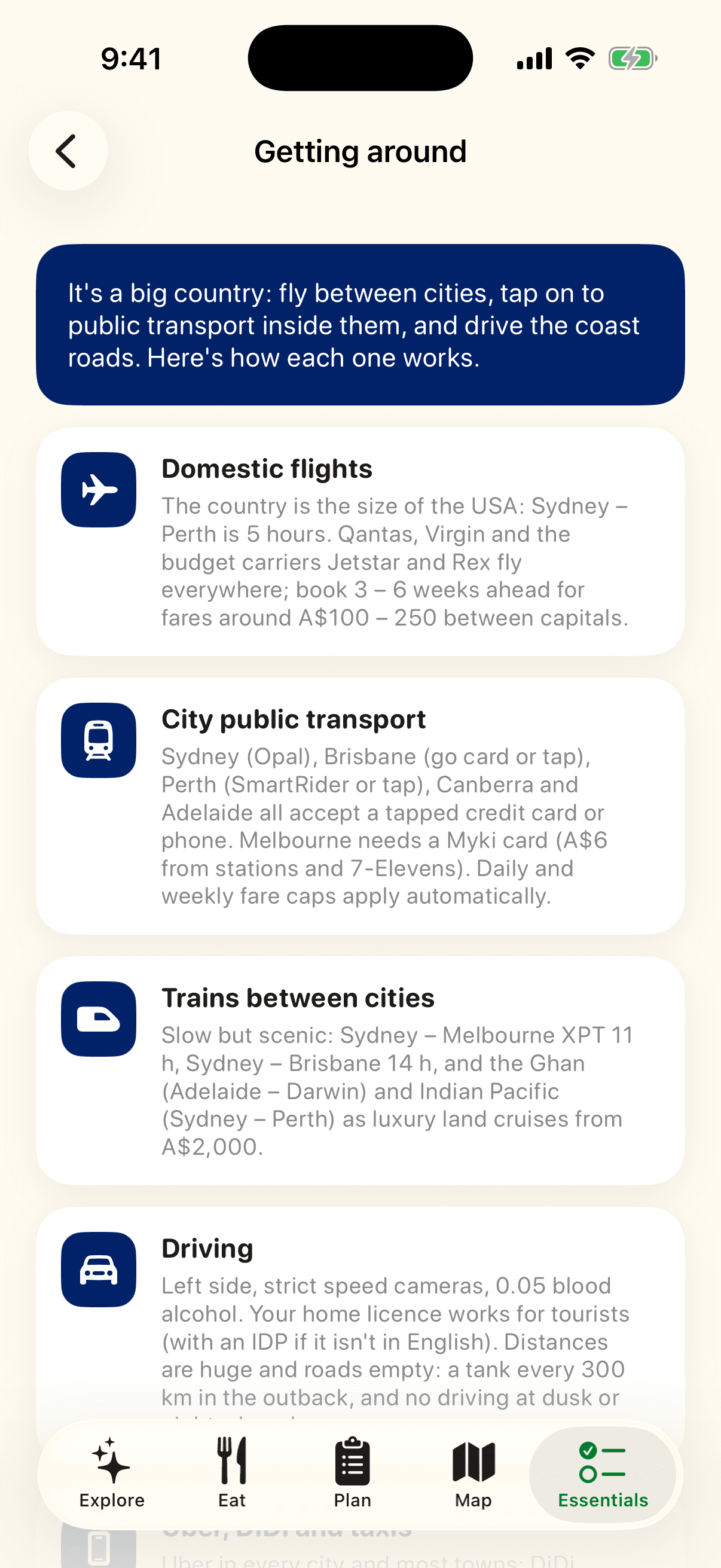
Getting around screen of the VisitAustralia app
Practical

Getting around

Flights, Opal and Myki, Uber, trains, ferries and road trips, explained in the detail a visitor needs.

  • Which cities take a tapped credit card on public transport and which need a Myki, what the airport trains cost, and how to drive the outback safely.
  • Domestic flights, long-distance buses and the Ghan.
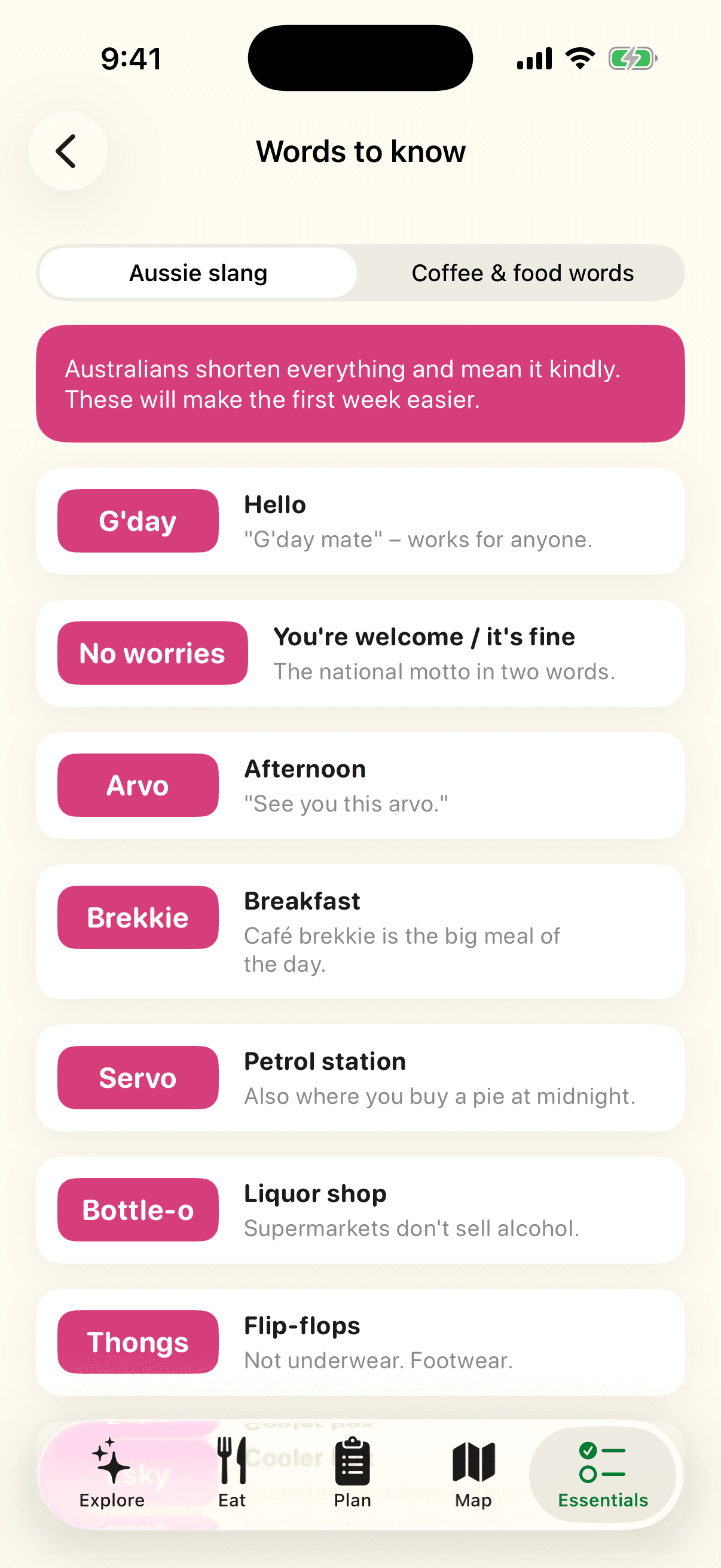
Aussie slang & coffee words screen of the VisitAustralia app
Culture

Aussie slang & coffee words

Twelve words you will hear in the first hour, and how to order coffee like a local.

  • G'day, no worries, arvo, brekkie, servo, bottle-o, thongs, esky, heaps, Maccas, ute, reckon.
  • Flat white, long black, piccolo, magic, snag, sanga, schnitty, chicken salt.
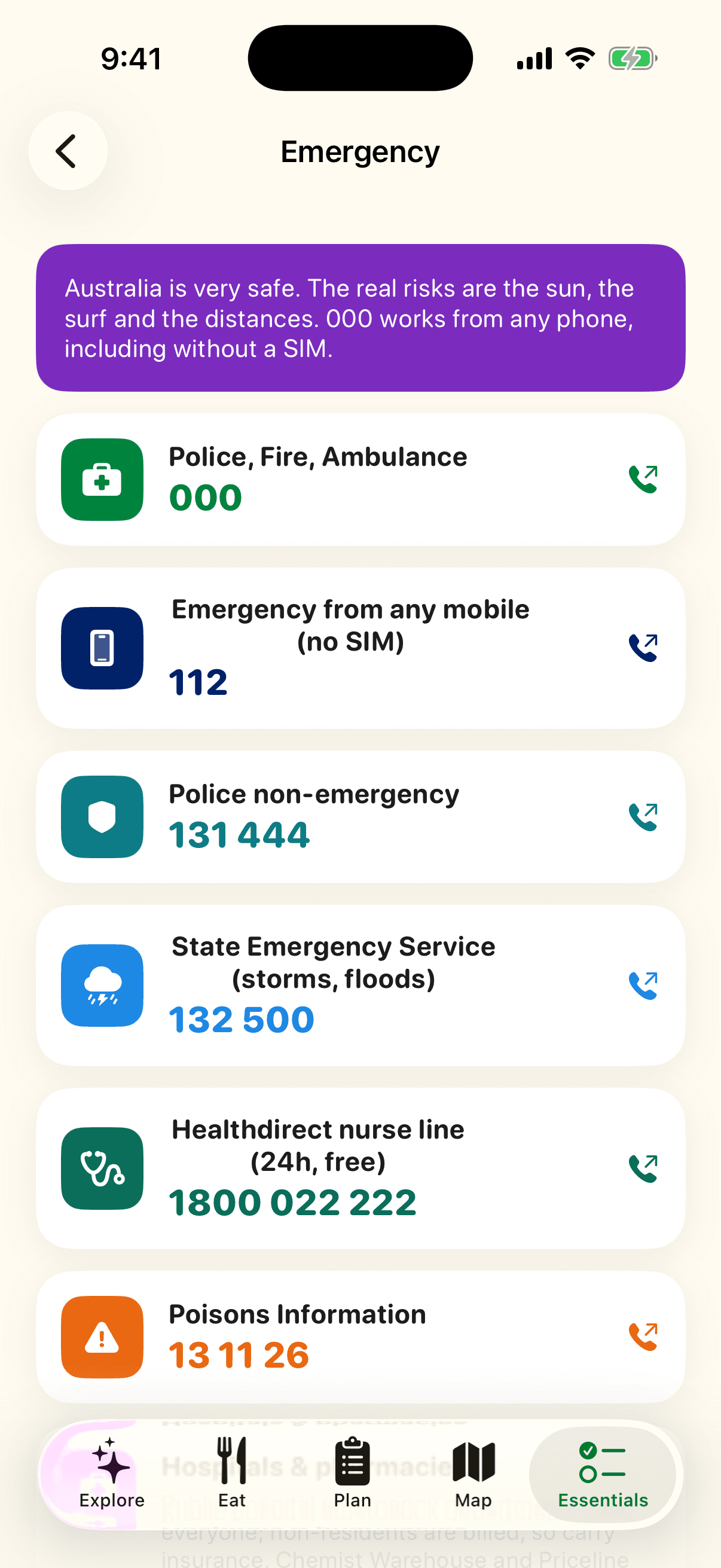
Emergency numbers screen of the VisitAustralia app
Safety

Emergency numbers

Tap to call. 000, 112 from any mobile, non-emergency police, SES, Healthdirect and Poisons.

  • Every number dials directly from the app.
  • Which hospitals to go to, pharmacies and what to do about a lost passport.
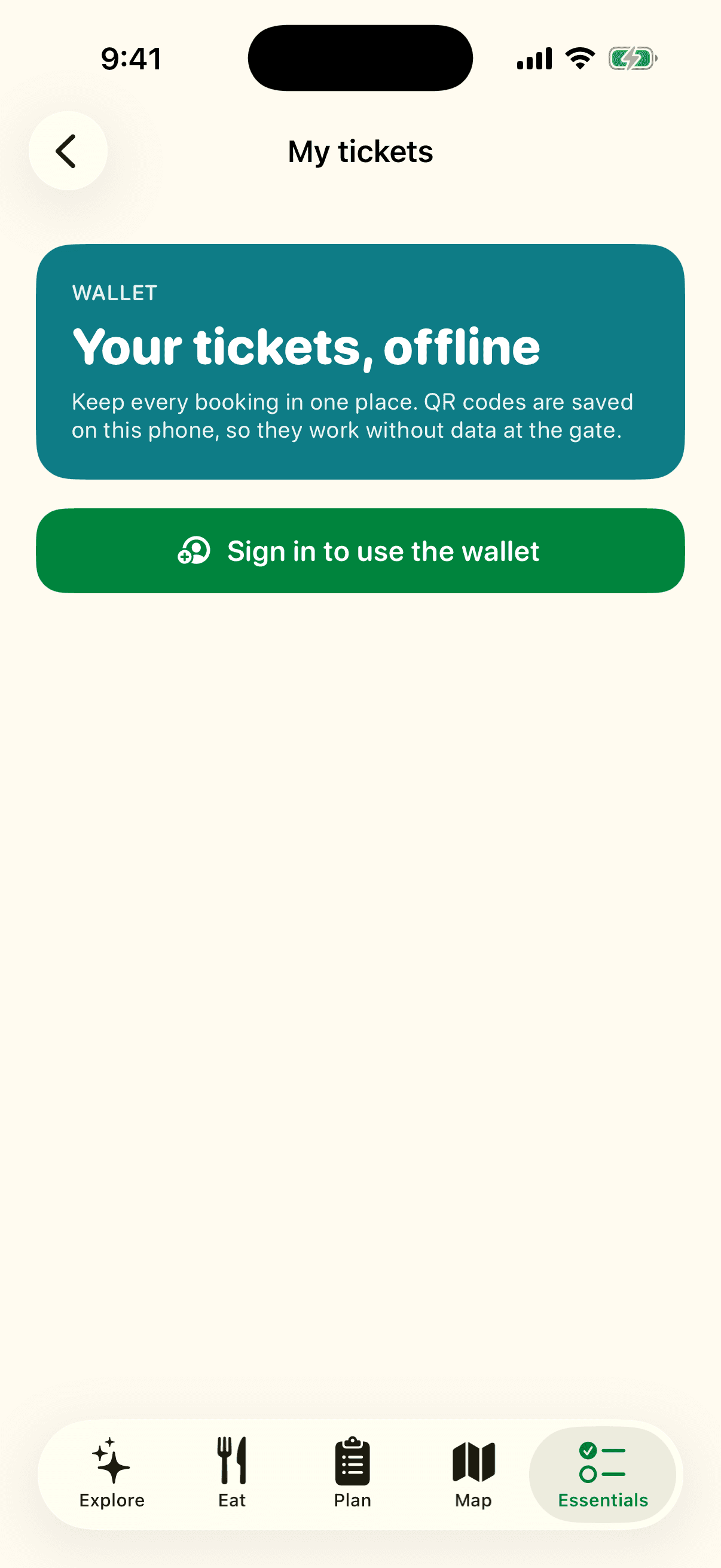
Ticket wallet screen of the VisitAustralia app
Bookings

Ticket wallet

Every booking in one place, with QR codes saved on the phone so they work without data.

  • Add a title, place, provider, date, booking reference or a screenshot of the ticket.
  • A 'Your ticket for today' card appears on the home screen on the day.
  • Synced to your account, so it survives a lost or replaced phone.
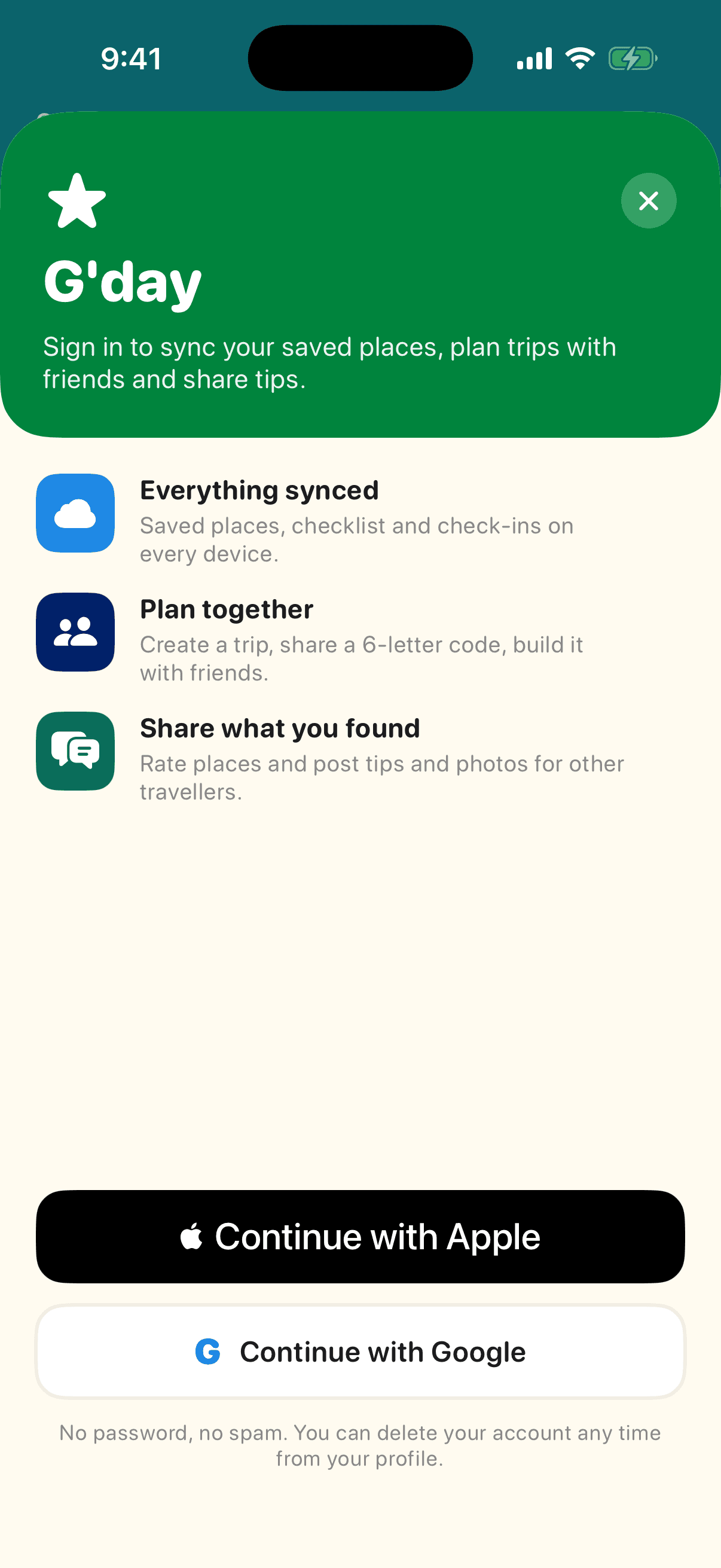
Sign in screen of the VisitAustralia app
Account

Sign in

No passwords. Sign in with Apple or Google in two taps, or keep using the app without an account.

  • Signing in unlocks sync, shared trips, tips and the ticket wallet. Browsing never requires it.
  • Delete your account and all your data from your profile at any time.

Private by design

No passwords, no ad tracking, no selling data. Browse everything without an account. Sign in with Apple or Google only when you want sync, shared trips, tips or the ticket wallet, and delete your account from inside the app at any time.

Developed by Infonex Pty Ltd

Infonex is an Australian software company. Questions, press, partnership or feedback: admin@infonex.com.au